Appointment book: multiple reasons

Sometimes patients book in for more than one Appointment Reason. They might come in for a checkup and clean as well as a filling. There should be a way to select multiple appointment reasons by using checkboxes instead of only being able to select one reason. This way we could more easily see if they are coming in for multiple reasons instead of adding just a separate note.
-

Hi David,
Thanks for your suggestion.
This is a good one and sometimes 1 size doesn't fit all.
However, can I suggest that you create your own reason in Core Practice that incorporates the 2 reasons?
Example:
Step 1 - go to services in the cog tab. Then click on 'Create Service'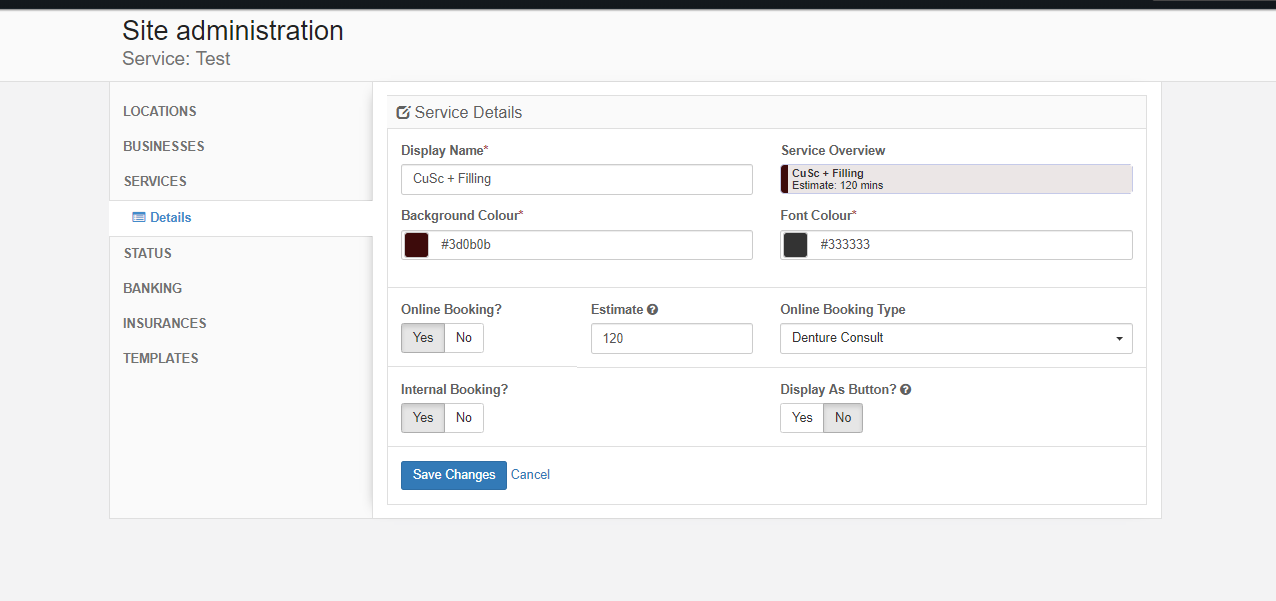
Step 2 navigate to appointment > calendar setup > click on a calendar's colon > click on manage services to change the time needed
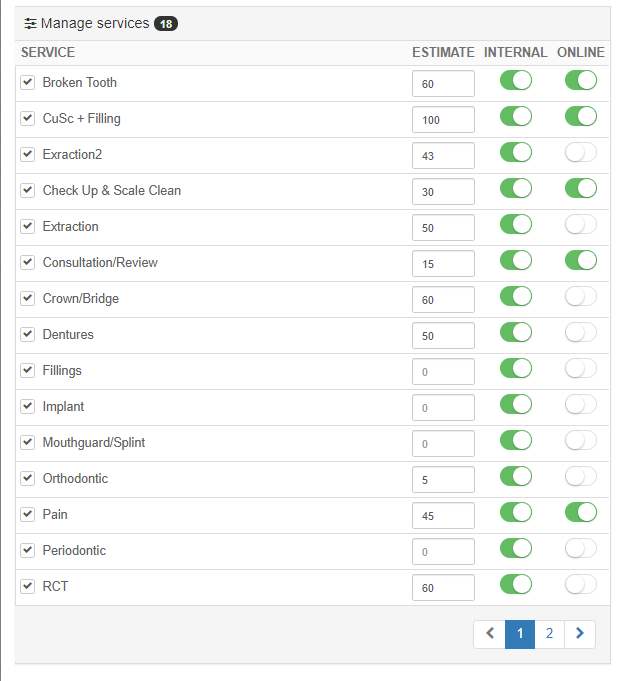 I hope this helps, David.
 Regards,
Warren
Please sign in to leave a comment.
Comments
1 comment