Improvement: Perio Charting compare side-by-side for old vs new chart
Completed
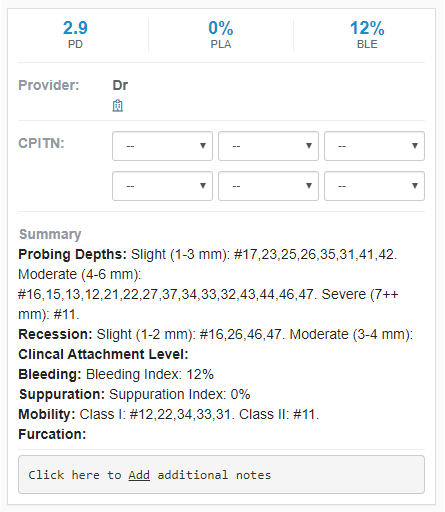
There should be a way for a user to see a previous perio chart against the new chart.
That way the patient can see a progression of their periodontal maintenance.
The team is currently finding out a way on how to best implement this within the tool. Does anyone have any good suggestions on how to best do this?
Examples:
1. New chart on the top, old chart on the bottom
2. % change on new chart against old chart
3. Pop up on old chart for reference
-

Show just one arch and one side at a time, then show the box with all the details for each charted date. Show 3-4 charts on the same page so the progression can be seen over the 3-4 visits at a glance over the game of spot the difference. This is the important part as you said, as clicking each date and looking at only one set of date at a time involves a lot of clicking to see the difference.
eg.
18 17
d b m d b mdate 1 PD
rec
bleeddate 2 PD
rec
bleeddate 3 PD
rec
bleedClicking a date can highlight the group of rows and the data is shown on the teeth pictograms.
Even better, pressing a play button to see it cycle through the dates, and we get an animation of the progression of treatment.

Please sign in to leave a comment.
Comments
3 comments