Select multiple images to export

Being able to select multiple images to export at once from Media would be very handy, rather than exporting them one by one.
-
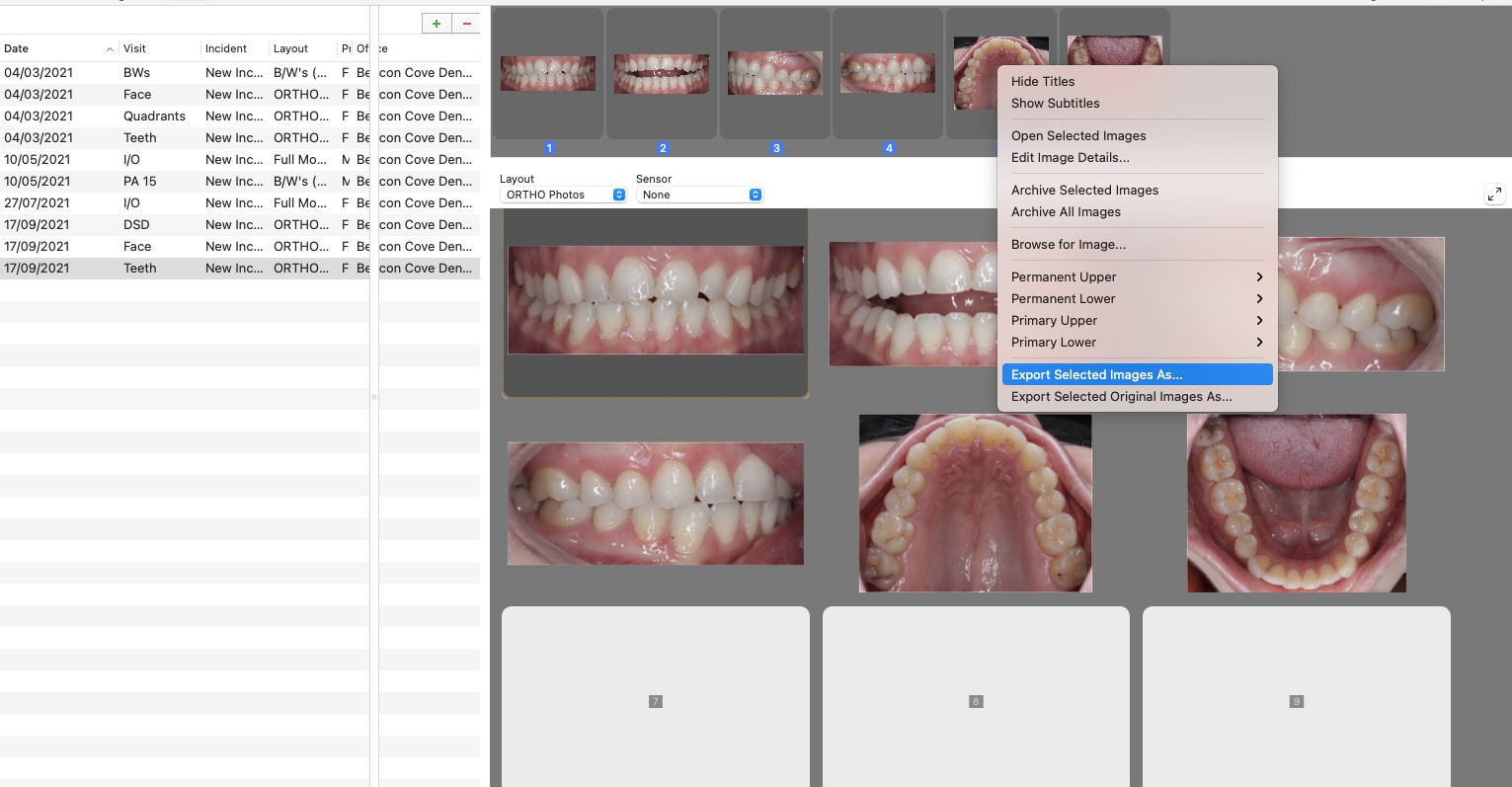
We create slideshow presentations for every new patient, and include a full photo series, bitewings, perio chart, intraoral photos etc. Given that there's generally about 20-30 images that we export per patient, it would be handy to not have to download each image individually. In Mac Practice, it's as easy as clicking and dragging to highlight the images, right clicking, and selecting 'export selected images', and saving to the desktop. I've included a screenshot from MacPrac to explain what I mean. Hope this makes sense!

Please sign in to leave a comment.
Comments
2 comments